

xPay GO · for people
Send it, ask for it,
split it.
xPay GO moves money between Nigerian bank accounts using nothing but a phone number. The name comes back from the bank before you send. The bill divides itself.
How it works
Three steps, and the second one is the point.
Most money lost to a mistyped account number is lost because nobody checked the name. xPay checks it for you, every time, before the money can move.
- 1
Type a number
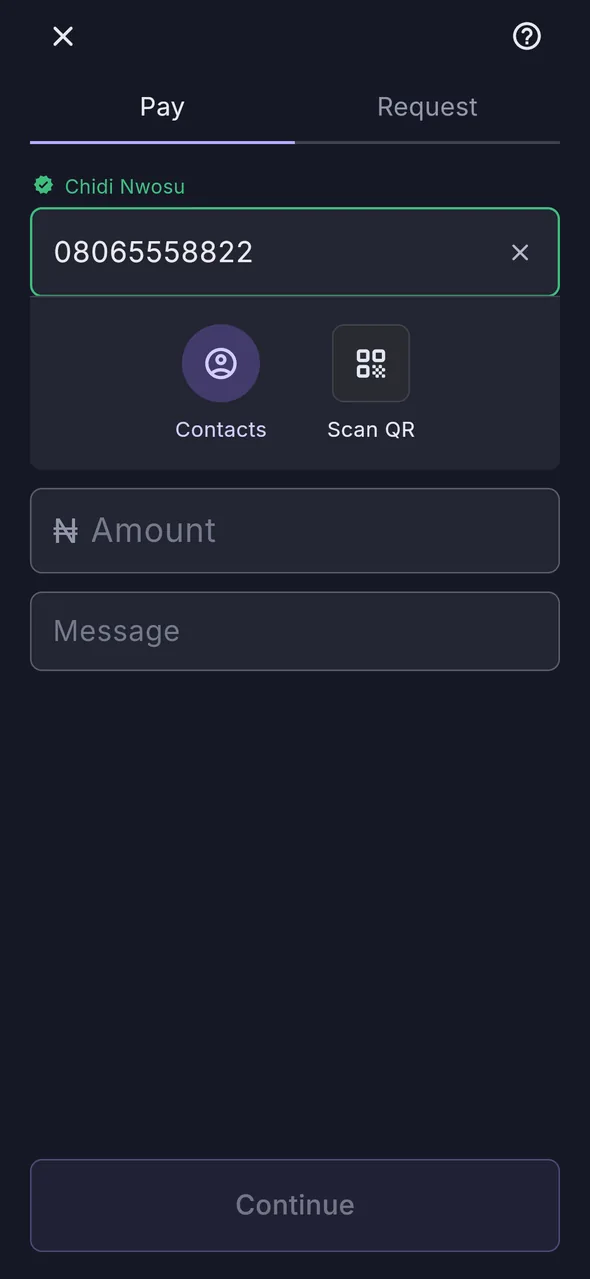
Enter a phone number or pick someone from your contacts. xPay checks it against the bank and shows you the account name before you go any further.
- 2
Check the name
The field turns green with the account holder’s name, or amber if the number isn't on xPay. You cannot sign a payment to an unverified recipient.
- 3
Sign with your PIN
Review the amount, the name and which of your accounts it leaves from. Then a four-digit PIN, and xPay debits your bank and pays theirs. No balance to top up, no money parked with us.
What it does
Four things, and what each one can’t do.
Anyone can list features. On something holding your money the useful half is the limit — so here is what each of these is unable to do, and none of it is a setting you can turn off.
Send money
By phone number, to any Nigerian bank account.
Cannot go to the wrong Ada. The account name comes back from the bank before you confirm, so the check happens while it can still stop you.
Request money
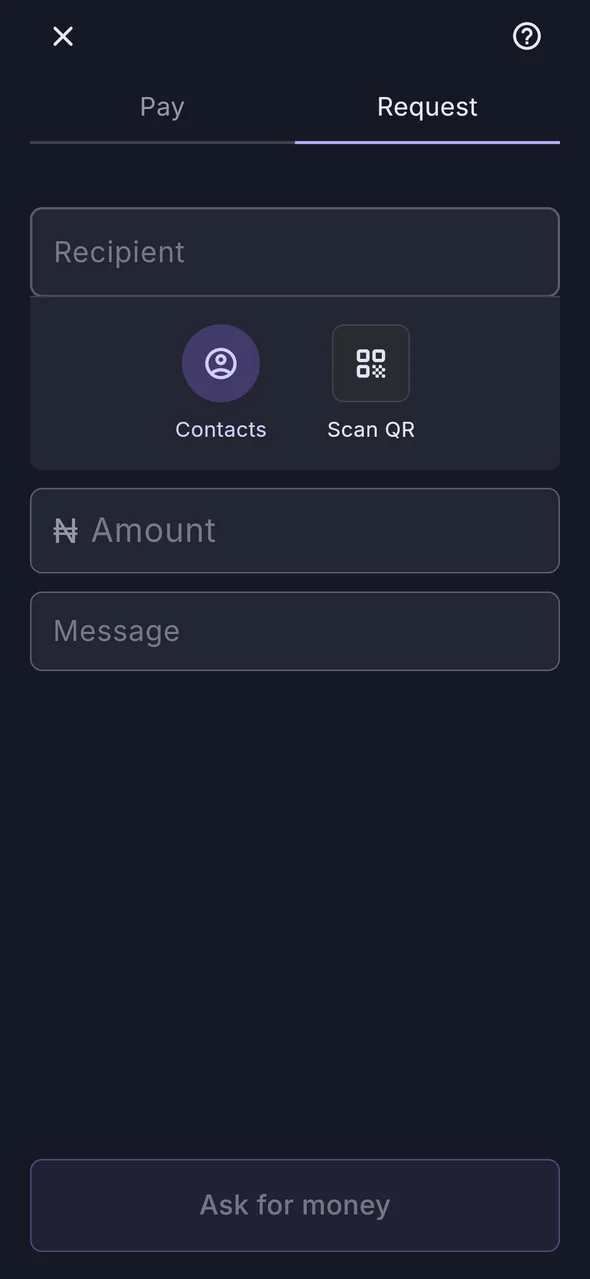
Ask one person, or several, and see who has paid.
Cannot take the money. A request is an invitation, not an instruction — nothing moves until the payer opens it and authorises with their PIN. Nobody can reach into your account by asking.
Scan to pay
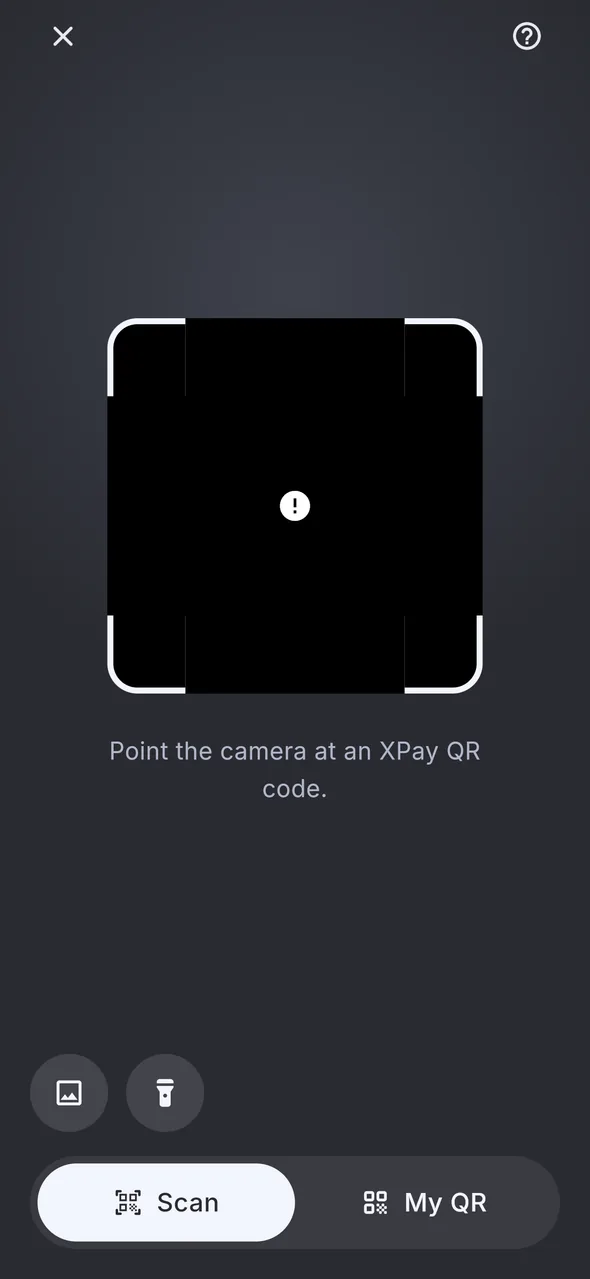
Point the camera at a code, or show your own to be paid.
Cannot authorise anything. The code carries who to pay and nothing else — never an amount you did not see, and never a permission. You still confirm, and you still enter your PIN.
Autopay
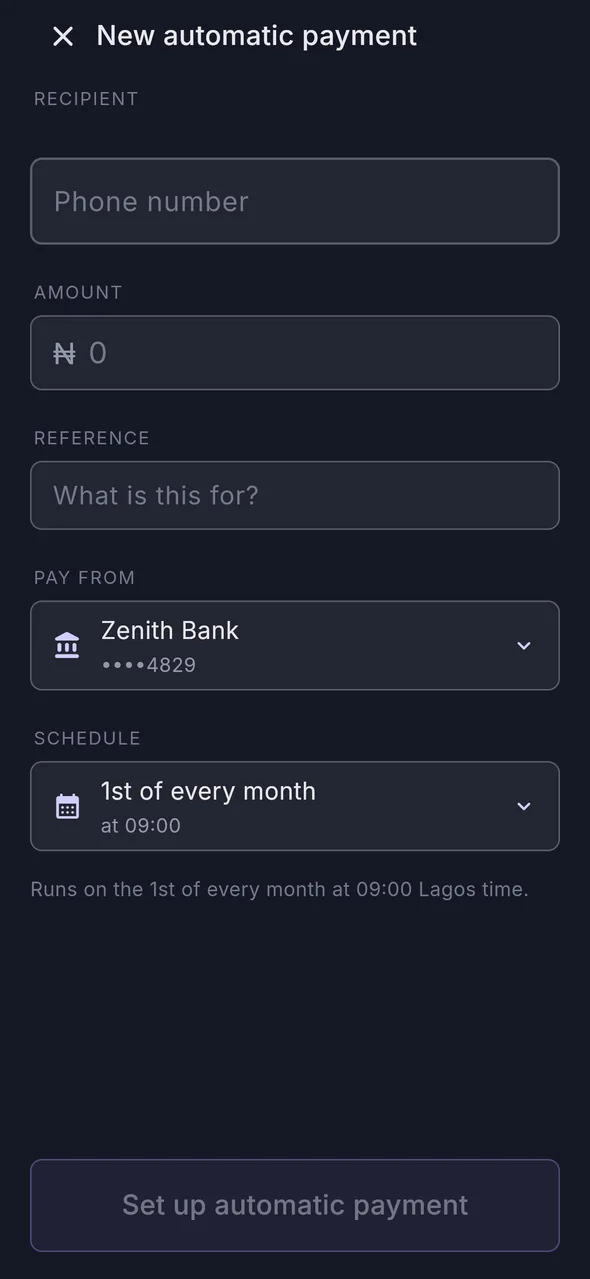
Rent, subscriptions, an allowance — on the day you choose.
The one place money moves without you there, so it is the one with the strictest rules. It draws from the single account you named and stops if you unlink it, rather than quietly falling back to another. A month that fails is recorded and the arrangement carries on — never cancelled by one decline, and never retried into paying twice.
Splitting a bill is the one worth showing rather than describing — it is just below.
Your banks
Link more than one. Pay from whichever you choose.
xPay connects to your existing Nigerian bank accounts — one, or several. Pick which one a payment leaves from every time, or set a default and forget it.

 GTBank
 Zenith
 Access
 UBA
UBA First Bank
 Kuda
Kuda OPay
OPay Moniepoint
 PalmPay
 Stanbic IBTC
 Fidelity
 Wema
Wema

Split a bill
Nobody has to do the maths.
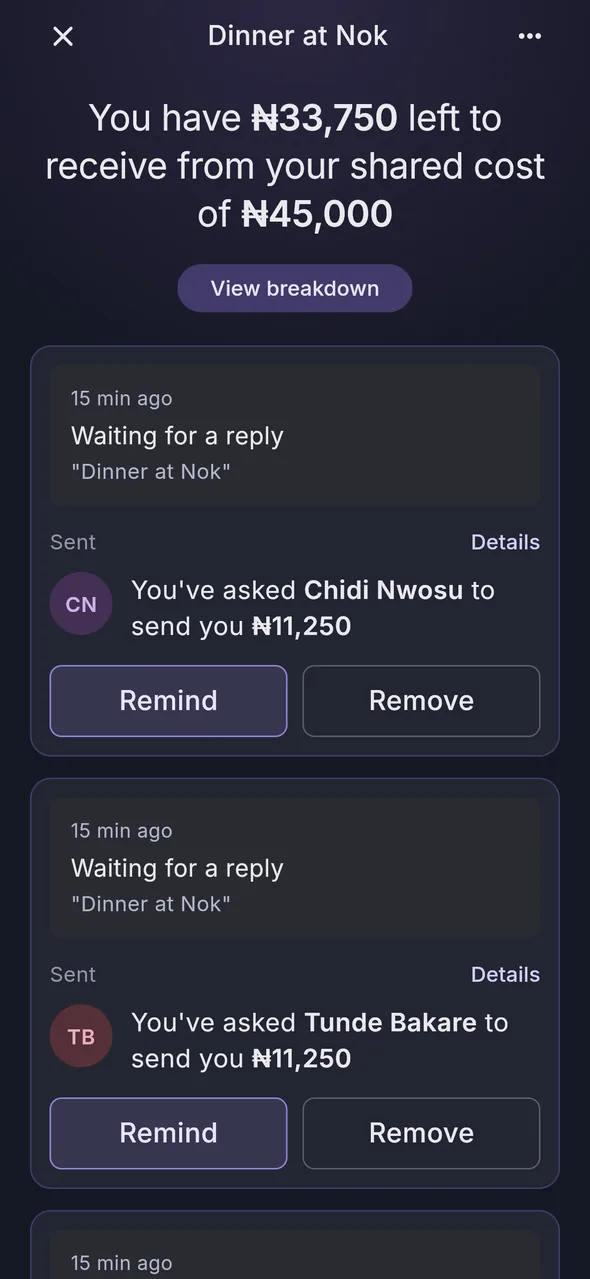
Put in the total, add the people, and xPay divides it. Change one person’s share and everyone else’s rebalances around it — down to the last kobo, so the parts always add up to the bill.
- Up to 10 people per bill, with or without you in it.
- Everyone gets a request they can pay in one tap, or decline.
- Nothing is charged until they approve. Requests expire after 60 days.
- Remind anyone who has not paid — once a day, so it stays a nudge.
Limits and fees
No surprises at the bottom of the screen.
These are xPay’s limits. Your own bank may apply lower ones of its own, and it will tell you if it does.
- Per transfer
- ₦200,000
- Per day
- ₦500,000
- People per split
- 10
- Cost to send, ask or split
- Free
- Request expiry
- 60 days
FAQ
The questions people actually ask.
How does xPay know who I am sending to?
When you enter a complete Nigerian mobile number, xPay checks it and shows you the account holder’s name before you can continue. If the number is not on xPay, or the person has turned off “Let others find me”, the field goes amber and the payment cannot be signed.
Can I cancel a payment after signing?
No. Money moves instantly and cannot be recalled, which is why the review screen shows you the amount, the verified name and the account it leaves from before you enter your PIN.
What happens if a transfer does not go through?
The money goes back to the account it came from and the transaction shows as “Not completed” in your History, with the reason the bank gave. Nothing is left in limbo — if the bank has not decided yet, we keep asking until it has.
Can I link more than one bank account?
Yes, as many as you like. One is your default, and you can pick which account a payment leaves from on the review screen, right before you sign it.
What does it cost?
Sending, requesting and splitting are all free. Your own bank may charge its usual transfer fees.
Is my history private?
Your History list is behind your PIN, so someone holding your unlocked phone still cannot see who you pay or how much.
Get xPay GO on your phone.
Confirm your number and your email, link one bank account or several, and send your first naira in about two minutes.